Instagram

Showing posts with label 4th Grade. Show all posts

Wednesday, February 15, 2017

3D Prints!

I can safely say that 3D printing has been a hit. I have learned so much throughout the time it took to teach and print all of my 250 4th and 5th grade students. I started out working with 5th grade and changed how I taught by the time I started 4th grade simply because I learned so much about the process by teaching and printing 5th grade work. Simple things that I hadn't even considered wound up creating fairly major printing errors. Other things that I thought would be problematic wound up being fine. 

I let my students choose to create whatever they wanted to print. We used a free online program called Tinkercad. (I highly recommend it.) I wound up having several students facing the dreaded open-ended project block. I think it was a combination of such wide choice and using a completely new media that was a little tough for some kids. The vast majority of my students had a more concrete plan and wound up creating pretty cool designs. This has been a wonderful way to integrate technology into my classroom. It teaches students new skills that are so incredibly applicable to so many jobs that will be available in the future. 


Printing is what takes the most time. I've been printing pretty much non-stop since winter break. I've completely finished printing my 5th grade work and I'm a little more than 3/5 of the way through 4th grade. The printing should be finished next week! I'm able to print 4-5 designs at a time. I start the printer right when I get to school in the morning and I'm usually able to get two sets per day. The up side is that the printer makes all kinds of futuristic sounds and I can pretend I'm in the Jetsons! 
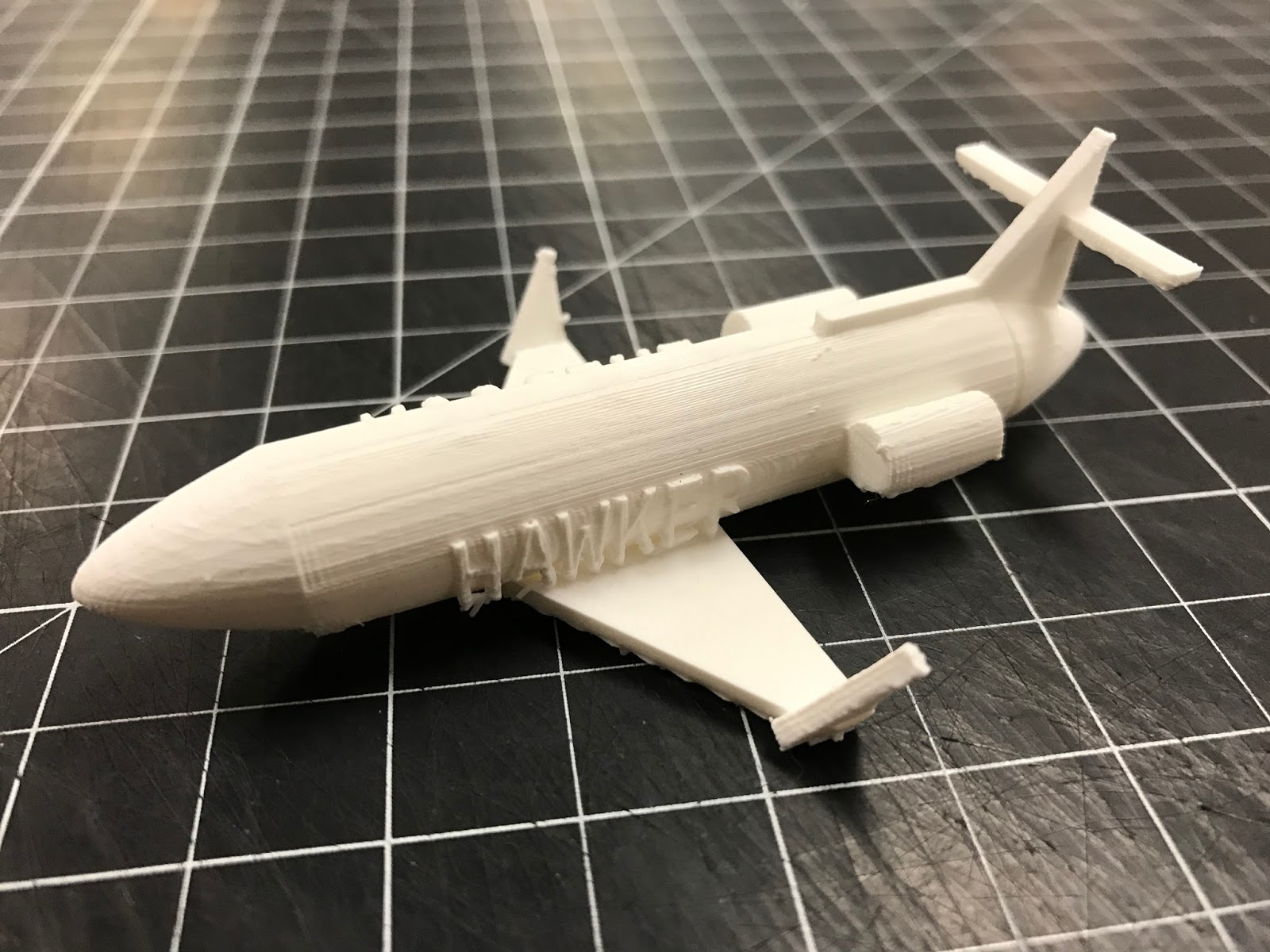
This is most of the work from one class. It took about three days to print all of these. 

Obviously I'll be using the printer more in the future. I'm working with our gifted intervention specialist to have students create more intricate designs to print and send to our sister school in China. Next year, I'm thinking about more specific lesson ideas to use. I really like the idea of using industrial design and the design process as the basis of a lesson. Students could create designs that would be solutions to a problem they encounter in life. Who knows? The options are endless. 


Wednesday, December 21, 2016

3D Printing!

The future. It's here. At least it is in my art room. 

Last year, I did some fundraising and wrote a grant in order to buy a 3D printer. My 3D dreams came true and I was able to purchase an Ultimaker 2+. I wound up ordering it last spring, but I didn't plan to use it until this year. 

Prior to buying the printer, I hadn't ever used one before. I don't think I had ever seen one other than online pictures. A colleague had purchased one and raved about using it with students. 

After I got the printer, I immediately started learning how to use it and figure what it is capable of. 3D printers use a specific type of 3D image file in order to produce the print. Special slicing software takes a 3D image and divides it into hundreds of individual layers that the printer prints. There were several preloaded files that I did test prints with, but I quickly found sites like thingiverse.com that are 3D community sites in which files are available for download and there is plenty of information about printing. 

In addition to learning the hardware, there are various types of software that are available for 3D printers. I'm using a web-based program called Tinkercad. It is free to sign up and is pretty easy for students to learn. They have a whole series of tutorials that I used to learn the software. I wound up setting up 30 different accounts that my students share. I have a few students in each class who have set up their own accounts at home as well. The best part about Tinkercad being web-based is that students are able to access it from home if they really want to put extra time into their work. 

You might be asking yourself why I would put a 3D printer in an elementary art room. In my opinion, it's just another tool to be creative with. Students still use creativity to come up with their own designs. The computer just becomes another form of media. I have about 250 4th and 5th graders that are currently working on laptops in order to create their designs. Touching on my last post about choice, I set up three loose categories that students can work within. Students choose between creating dream houses/buildings, transportation, or figurines. The open choice stumped a few students, but the majority have been able to come up with pretty solid ideas to build off of. We started with a day of sketching, then did a training day with Tinkercad. I'm giving each class 4-5 additional classes to work on their projects before they download the 3D files and send them to me. 
5th grade piece in progress. His grandfather is a pilot and he's making him a model of the plane he flies. 
This project has been a really nice change of pace in so many ways. It's nice to having something so different going on in my classroom. Using Tinkercad is new and exciting for the students, so they are incredibly engaged in what they are doing. It has also given students another way to excel in my classroom. Some students who may not be the most artistic kids in the class have really taken off with this project because it uses an entirely different skill set than traditional art making. 
I made a quidditch pitch as my demo piece. I'm cool with how nerdy that is. 

Do any of you have a 3D printer? I'm super interested in hearing about projects that you've come up with to use it. It's truly an amazing technology and I couldn't be more excited to have it in my classroom. 

Monday, December 21, 2015

4th Grade Recycled CD Snowflakes

Another Ohio winter, another way to incorporate more recycling into my curriculum. If you've followed my blog for any amount of time, you'll know I'm pretty opposed to holiday themed projects. Holiday crafts can happen in the regular classroom. We learn about art in my room. This lesson revolves around a big part of winter- snowflakes!

About 5 years ago, a box of old software CDs was dumped in my room. You know, somebody has something that they don't really want to throw away, so they give it to the art teacher. "I had these and I thought of you!" they say. Inwardly, I'm figuring out where I can store these newly found "treasures" or how I can surreptitiously get rid of them. 

Luckily, I was able to figure out something to do with the CDs. Good thing, too. I've got enough to last me into the next decade. I had previously done a paper mosaic snowflake geometry project with my 4th graders. Looking back, it was pretty terrible. I suppose I could have switched a few things around and improved it, but I came up with this instead. 

Students study mosaic artwork as well as the natural geometry of snowflakes. I show them how to fold and cut a six sided snowflake. After that, students simply mount the snowflake on either a gold or silver poster board, trim the board, and add CD shards. The best snowflakes tend to be the ones in which students carefully match the shape of CD pieces to the design of the snowflake. The outcome can be extraordinarily beautiful. 

**Helpful hint- no amount of pounding on a CD with a hammer will break a CD into little pieces. I use my paper cutter to slice the CDs into strips which easily break apart into smaller pieces for students to use. 

Click here to download my full lesson plan!


Tuesday, December 8, 2015

Nonobjective Tint Paintings by 4th Grade

I try to vary my lesson plans for students. 4th grade recently finished their totem pole project. It's pretty intense and has a high degree of difficulty. This painting lesson provides a nice change of pace for my students. It's much more open and doesn't have guidelines that are quite as rigid. 

This is the second year I have taught this project. It's very straightforward. We talk about what nonobjective art is and we look at several examples. I then challenge students to create their own compositions using whatever types of shapes and lines they want. They try to create interest by using overlapping shapes as well as designing areas that are more complex. 

Since we are learning about tints, obviously students get to mix paints to create their tints. This is the absolute highlight of the lesson for most students. Nothing is more exciting than busting out the mixing trays. I ask students to select two main colors (in addition to white) to use the for their paintings. Limiting the color really enhances the overall design of the paintings. 

I get some really killer detail work out of my students on this project. I bought a set of #2 bright brushes. They are flats that have shorter bristles. They are wonderful for detail. They allow students to accurately paint the small overlapping shapes in their work. The work is finished by students choosing either black paint or crayon to go over all of their original drawing. Again, this is to bring out the original design. You know how it can get a little lost during the painting process. I used to have students do this with Sharpies, but Sharpie doesn't particularly like tempera paint. 

Enjoy these amazing examples from this project!

Click here to download my lesson plan!

Wednesday, October 28, 2015

Totem Poles by 4th Grade

This is a project that I just can't quit. I've been doing it for several years now and the work just keeps getting better every year. Sometimes I wonder if readers get bored with seeing some of the same projects each year. Looking at these totems, who could get bored? 

One of the things I like best about this lesson is that it's hard. It's really hard for some kids. Good. The most difficult aspect of the lesson is drawing an animal in such a way that it looks like it has been carved into a totem pole. Negative space is essentially nonexistent. I tell my students that they need to use about 98% of their paper. It really forces students to entirely re-think the way they have drawn animals for their entire lives. It makes them learn!

I've been dealing with combined classes with 4th grade this year and I was initially concerned that it would negatively impact the quality of student work. For this project, it absolutely didn't. Students have produced more high level work this year than any previous year. The stress of teaching 34 kids at once has apparently paid off. Enjoy the work! 


Wow.