Instagram

Showing posts with label 5th grade. Show all posts

Wednesday, February 14, 2018

3D Printed Architecture

The blogging community is a wonderful source for ideas. It's one of the reasons I started blogging in the first place. Through reading blogs, I found many ideas that I adapted to teach in my classroom. I started the blog as a way to share my students' work as well as a way to return the favor in terms of putting new ideas out there. 

It's rare, but I've found myself in a position that I haven't been in before in my teaching career. Having a 3D printer in the classroom is still pretty uncommon. Having a 3D printer in the art room is apparently far more uncommon. 

When I first started using the 3D printer with my 4th and 5th grade students last year, I was also new to the technology. I wanted to use the project to see what students were capable of and how they would adapt to creating art in an entirely new way. Essentially, I allowed students to make pretty much any original creation they wanted. There were some absolutely beautiful designs, but there were many students who didn't do well with complete freedom and wound up never really grabbing onto a solid idea. 

I knew that for year two of using the 3D printer, I wanted to come up with a lesson that provided a solid framework while still allowing for plenty of creative freedom. This is when I found that this kind of technology is still in its infancy in the art room. There are "lesson plans" around that use 3D printing, but most were either far too simple, far too complex, or didn't connect to my curriculum in any way. I chose instead to start from scratch. 

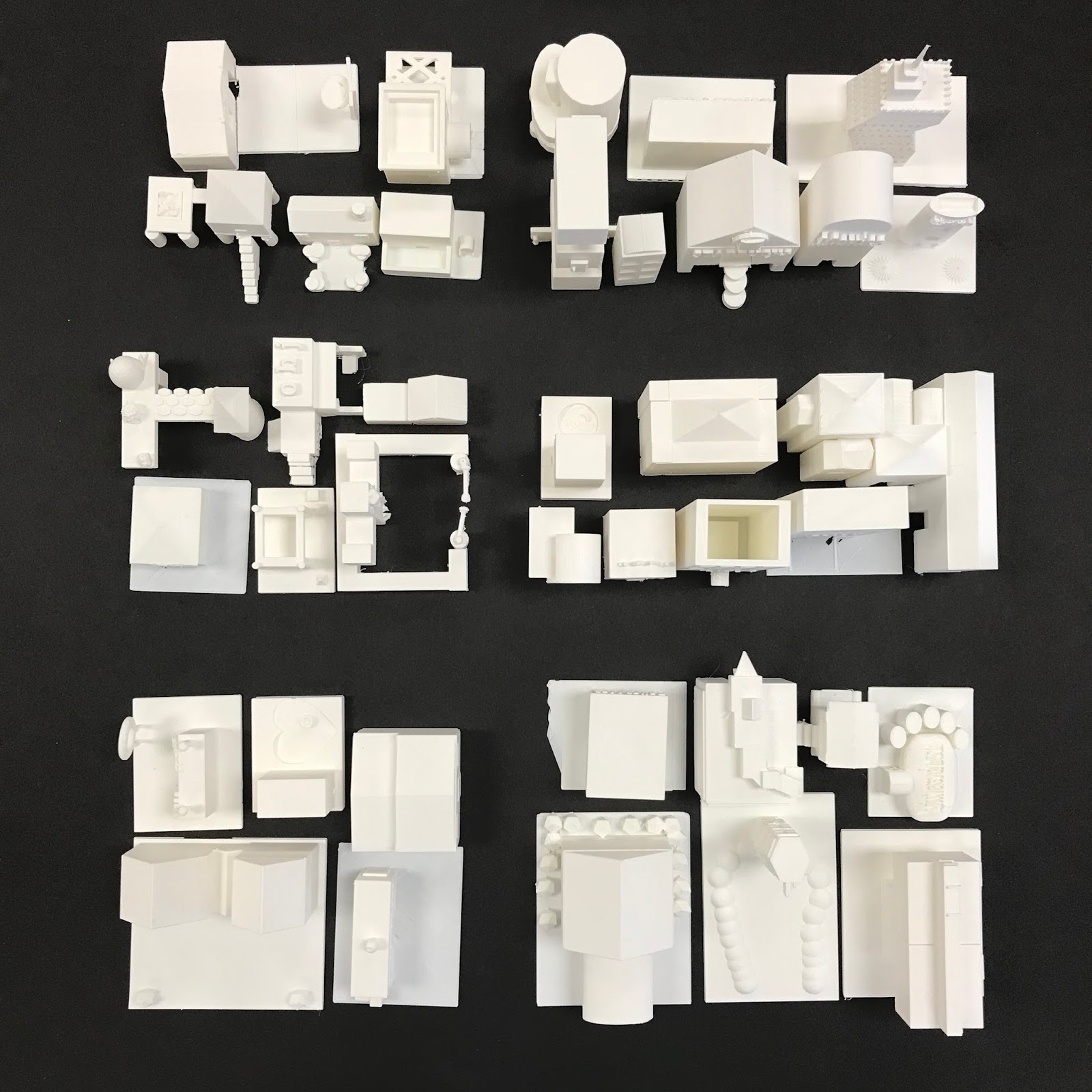
For 5th grade, I chose to take something that several students had been successful with last year- buildings. I came across a 3D printed city as I was looking for examples of printed architecture. 
San Francisco 3D model by Steelblue. 
My students studied various styles of architecture and came up with the types of structures found in towns and cities. Each student designed their own building on paper before moving on to work digitally. I have used an online program called Tinkercad both years I've worked with 3D printing, and I've found that it's very user friendly. 

I have five 5th grade classes and I'm currently finished printing the work from three of them. The 3D printer is constantly running this time of year because each building takes 2-3 hours to print. I'm so excited for the finished city that I went out and bought some black foam core board and tested out a layout with about 50 of the buildings that have been printed. The finished city will be presented at the art show in April and I can't wait to see how it turns out!


Wednesday, February 15, 2017

3D Prints!

I can safely say that 3D printing has been a hit. I have learned so much throughout the time it took to teach and print all of my 250 4th and 5th grade students. I started out working with 5th grade and changed how I taught by the time I started 4th grade simply because I learned so much about the process by teaching and printing 5th grade work. Simple things that I hadn't even considered wound up creating fairly major printing errors. Other things that I thought would be problematic wound up being fine. 

I let my students choose to create whatever they wanted to print. We used a free online program called Tinkercad. (I highly recommend it.) I wound up having several students facing the dreaded open-ended project block. I think it was a combination of such wide choice and using a completely new media that was a little tough for some kids. The vast majority of my students had a more concrete plan and wound up creating pretty cool designs. This has been a wonderful way to integrate technology into my classroom. It teaches students new skills that are so incredibly applicable to so many jobs that will be available in the future. 


Printing is what takes the most time. I've been printing pretty much non-stop since winter break. I've completely finished printing my 5th grade work and I'm a little more than 3/5 of the way through 4th grade. The printing should be finished next week! I'm able to print 4-5 designs at a time. I start the printer right when I get to school in the morning and I'm usually able to get two sets per day. The up side is that the printer makes all kinds of futuristic sounds and I can pretend I'm in the Jetsons! 
This is most of the work from one class. It took about three days to print all of these. 

Obviously I'll be using the printer more in the future. I'm working with our gifted intervention specialist to have students create more intricate designs to print and send to our sister school in China. Next year, I'm thinking about more specific lesson ideas to use. I really like the idea of using industrial design and the design process as the basis of a lesson. Students could create designs that would be solutions to a problem they encounter in life. Who knows? The options are endless. 


Wednesday, December 21, 2016

3D Printing!

The future. It's here. At least it is in my art room. 

Last year, I did some fundraising and wrote a grant in order to buy a 3D printer. My 3D dreams came true and I was able to purchase an Ultimaker 2+. I wound up ordering it last spring, but I didn't plan to use it until this year. 

Prior to buying the printer, I hadn't ever used one before. I don't think I had ever seen one other than online pictures. A colleague had purchased one and raved about using it with students. 

After I got the printer, I immediately started learning how to use it and figure what it is capable of. 3D printers use a specific type of 3D image file in order to produce the print. Special slicing software takes a 3D image and divides it into hundreds of individual layers that the printer prints. There were several preloaded files that I did test prints with, but I quickly found sites like thingiverse.com that are 3D community sites in which files are available for download and there is plenty of information about printing. 

In addition to learning the hardware, there are various types of software that are available for 3D printers. I'm using a web-based program called Tinkercad. It is free to sign up and is pretty easy for students to learn. They have a whole series of tutorials that I used to learn the software. I wound up setting up 30 different accounts that my students share. I have a few students in each class who have set up their own accounts at home as well. The best part about Tinkercad being web-based is that students are able to access it from home if they really want to put extra time into their work. 

You might be asking yourself why I would put a 3D printer in an elementary art room. In my opinion, it's just another tool to be creative with. Students still use creativity to come up with their own designs. The computer just becomes another form of media. I have about 250 4th and 5th graders that are currently working on laptops in order to create their designs. Touching on my last post about choice, I set up three loose categories that students can work within. Students choose between creating dream houses/buildings, transportation, or figurines. The open choice stumped a few students, but the majority have been able to come up with pretty solid ideas to build off of. We started with a day of sketching, then did a training day with Tinkercad. I'm giving each class 4-5 additional classes to work on their projects before they download the 3D files and send them to me. 
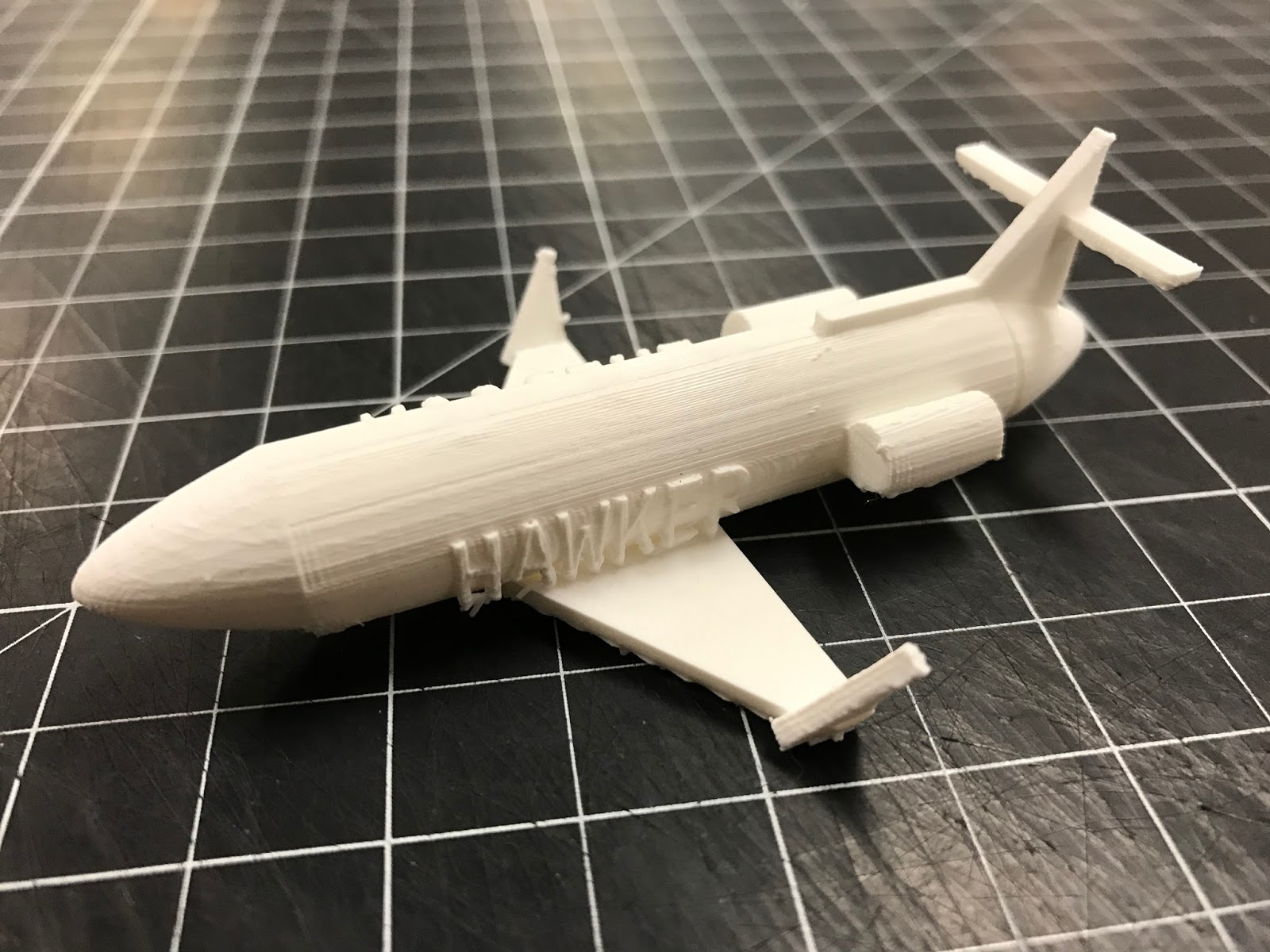
5th grade piece in progress. His grandfather is a pilot and he's making him a model of the plane he flies. 
This project has been a really nice change of pace in so many ways. It's nice to having something so different going on in my classroom. Using Tinkercad is new and exciting for the students, so they are incredibly engaged in what they are doing. It has also given students another way to excel in my classroom. Some students who may not be the most artistic kids in the class have really taken off with this project because it uses an entirely different skill set than traditional art making. 
I made a quidditch pitch as my demo piece. I'm cool with how nerdy that is. 

Do any of you have a 3D printer? I'm super interested in hearing about projects that you've come up with to use it. It's truly an amazing technology and I couldn't be more excited to have it in my classroom. 

Thursday, February 18, 2016

5th Grade Plush Creations

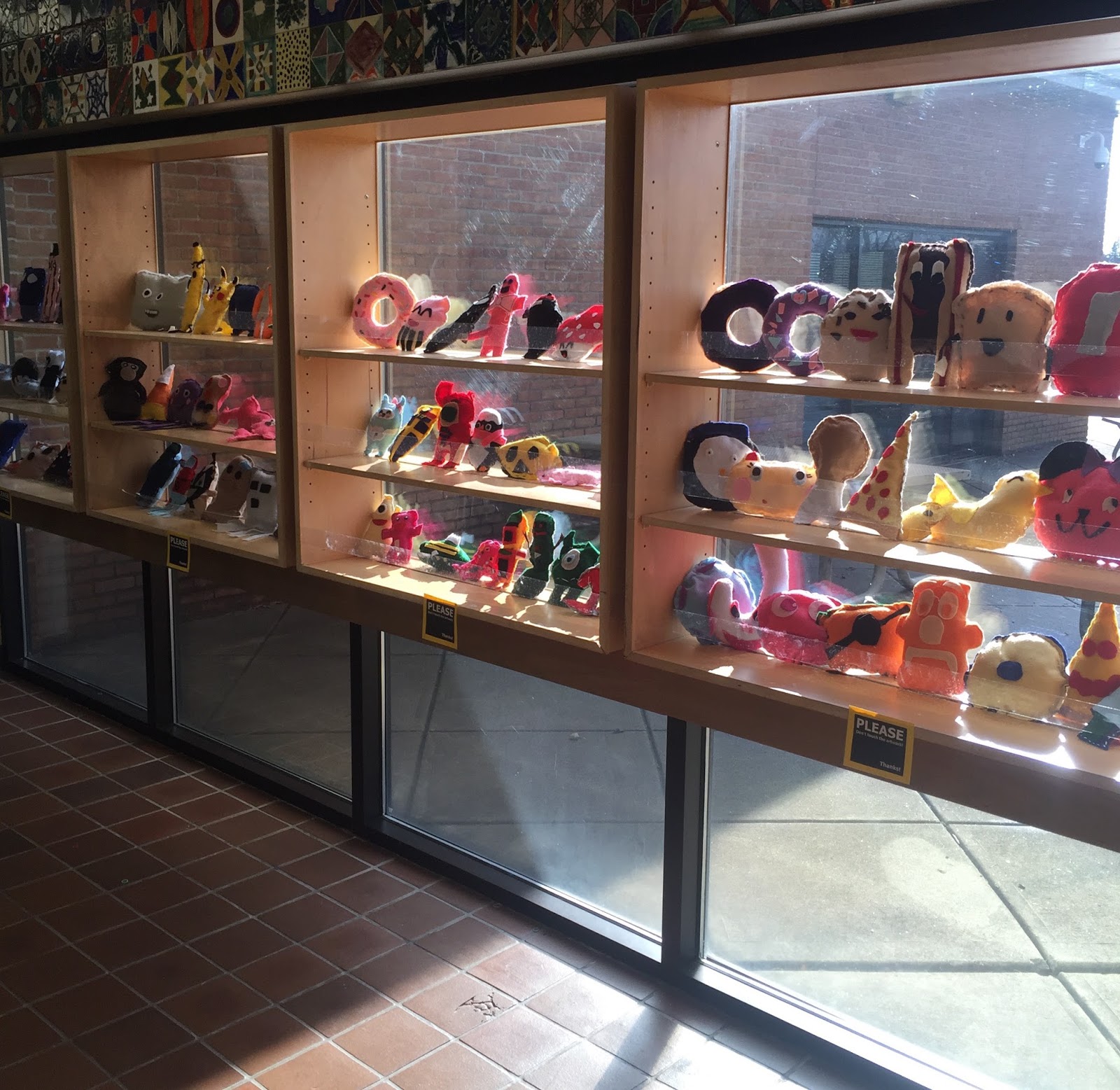
Who knew that kids would absolutely love sewing? Oh, that's right. I've taught this lesson several times. I knew that. That's why I keep teaching it. I love it when a tough 5th grade boy comes up to ask if his stitching is neat enough. That will never get old. 
I ran this lesson pretty similar to how I've done it in the past, but allowed a little more freedom this year. Originally, students made monsters. This year I told them they could make anything. The results, as usual, were really nice. 

I love how much attitude the banana has. (Bananatude?)
There isn't a whole lot of technical expertise that is required for this project. That's great for me because my crowning achievement in sewing was making a pair of boxer shorts in 8th grade home economics class. It's simple enough that every student is more than capable of making something cool, but students who have experience with sewing can really run with it and make some cool stuff. 

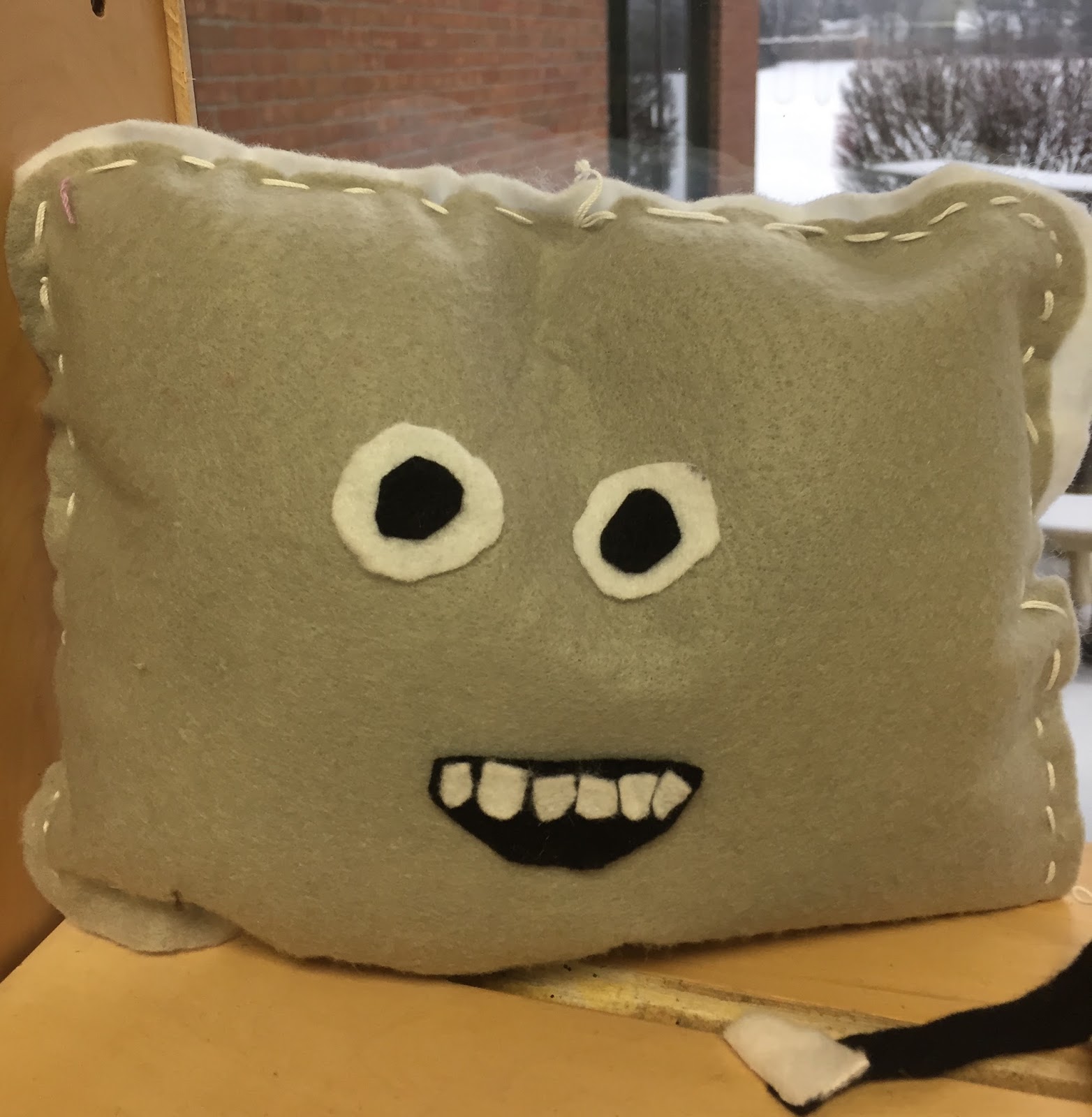
This guy is named Mr. Pillow. It was originally
going to be an iPad, but I like how my student
reworked his idea to make it more successful. 
My biggest suggestion with the project is making sure that students work with large enough pieces of fabric. I purchased 9x12 sheets of felt. Each student gets two, so the final piece winds up being fairly large. I originally had students use only one piece of felt, so the work was smaller and a little more difficult to work with. I keep all of the fabric scraps throughout the project and students use those for details to glue on with fabric glue once their work has been sewn and stuffed. 

This project is definitely in line with my idea of challenging 5th graders with materials as opposed to overly technical and skill based lessons. I really think it keeps a bigger percentage of students engaged and truly enjoying what they are doing in the art room. 


A Harry Potter book with stuffed covers and actual felt pages!


Friday, November 13, 2015

5th Grade Personal Logos

Most of the lessons in 5th grade revolve around careers in the art field. When I was in elementary school, I don't think that I truly understood that all artists weren't just professional fine artists. After graduating from art school, I now know how many careers relate directly to visual art. I want my students understand that. 

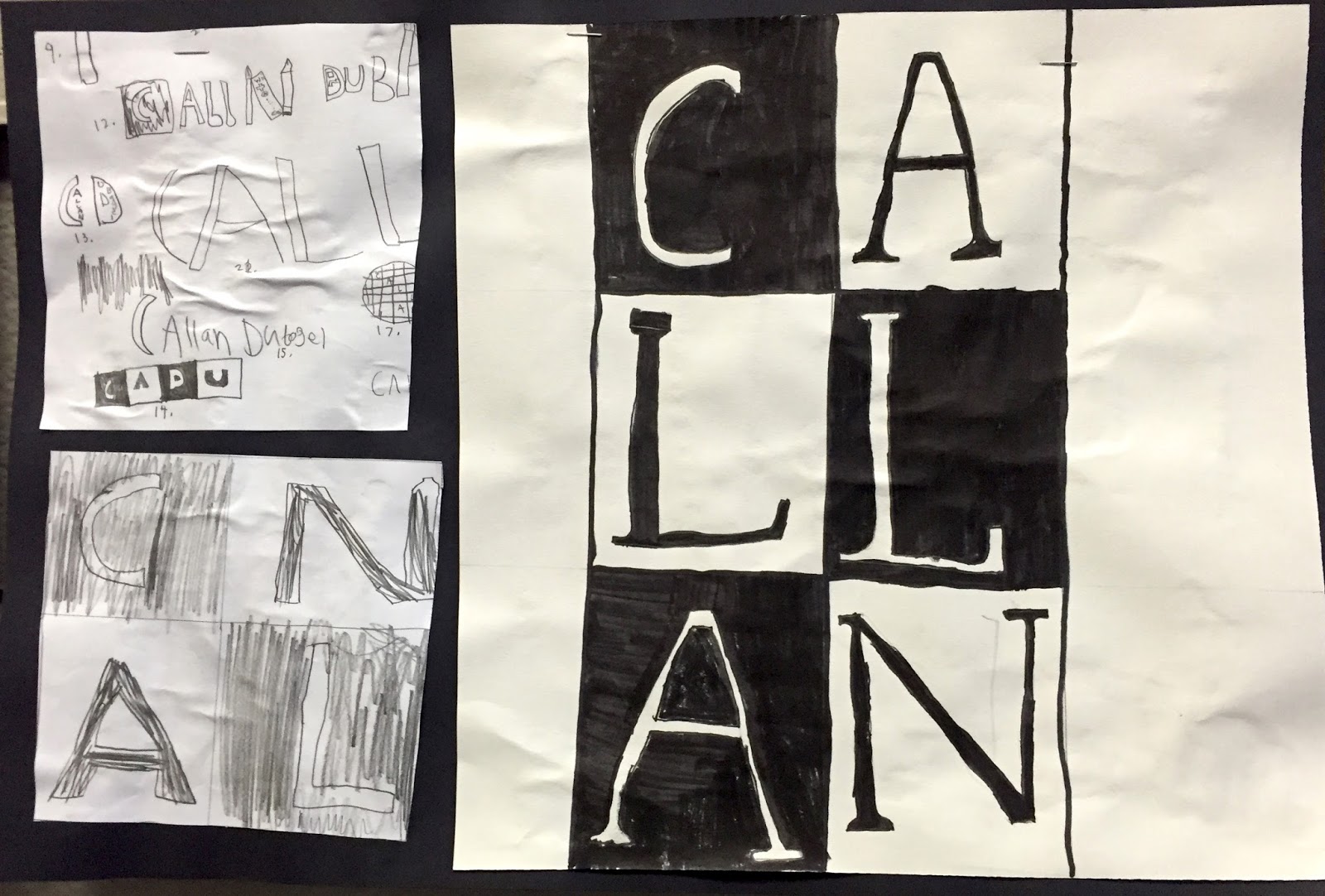
The first project for 5th grade this year is based on the career of a graphic designer. Students were asked to design a logo that represents themselves. We really dove into a lot of professional examples and dissected them to figure out what makes a good logo work. We spent a lot of time on thumbnail sketches. A lot of time. Most students 20+ thumbnail sketches. After a couple rounds of peer review, students created two second drafts, then eventually made a large version of the final logo. 

I really like this project because it allows students to demonstrate their thinking throughout the entire design process. The final work is mounted along with the thumbnail sketch and second draft that most closely resemble the final logo. The final work turns out very nice and it allows me to get to know my students a little better. 

Click here to download my lesson plan!

This student enjoys hunting. What a well done logo!


Monday, August 3, 2015

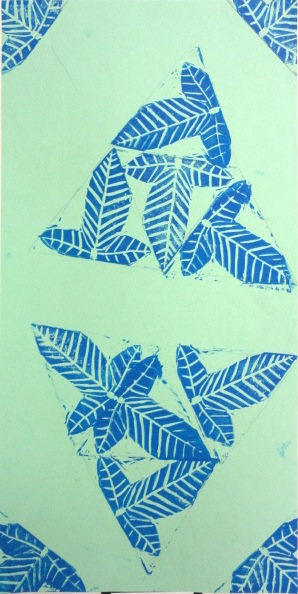
5th Grade Nature-Based Block Prints

Woohoo! Another printmaking project! This is a new lesson I wrote this past school year when a student teaching project wasn't working out so well. 

The basis of this project was patterns found in nature. We started out by looking at a bunch of photographs of naturally occurring patterns. If you look for it, there are some pretty astounding patterns and designs on plants and animals. I even brought in some math (gasp!) and talked about the Fibonacci sequence and how it is related to the golden ratio that can often be found in nature. 


An example of the golden ratio in plant form!
Each student then used some reference material to sketch out a few different zoomed in views of natural patterns. The best drawing was then transferred to a piece of EZ-Kut block printing material that I had pre-cut as equilateral triangles. The triangular shape was a definite departure from other printmaking lessons in the past. 

Before they printed, students lightly sketched out where they wanted to print. Most students chose to do a random kind of layout. If I were to change anything about the project next year, I would at least want students to make a symmetrical layout of their final prints - the work that turned out the best used symmetry this year. 


Tuesday, June 23, 2015

5th Grade Plush Monsters & Tiki Mugs

Time flies when you're teaching 5th grade. Between having longer projects in general, having a student teacher, massive amounts of springtime testing, and random end of the year interruptions, we wound up not having time for both of these projects this year. I was forced to make a decision. Do I try to do a shortened version of both? Do I just choose one? Do I teach both at once?!? Yeah, I did that last one. It's surprisingly doable.

My 5th grade classes were split about 50/50 about which project they wanted to do. I've been trying to incorporate more choice into my classroom, so this was a good opportunity. 

It couldn't have gone more smoothly. It just worked out that the days I needed to demonstrate major steps on clay, kids on the sewing project were able to work more independently. I was really happy with the outcome for both projects. I really didn't feel stretched too much at all. 

Download my Tiki Mug lesson plan!